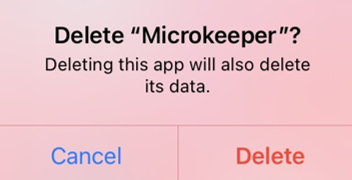
App Installation
This guide will demonstrate how to install the Microkeeper App on your Android or Apple Device.
Installing Microkeeper for Android devices

You will be prompted to give Microkeeper permissions.
You must Accept to Install Microkeeper
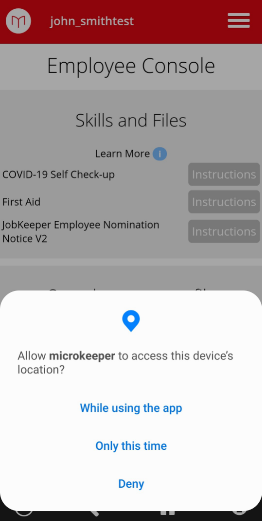
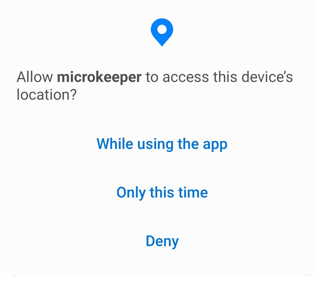
After you initially Log into the Employee console you will have to Allow Microkeeper to use your Location.
You must allow these settings to be able to clock on via GPS.
Installing Microkeeper for Apple devices

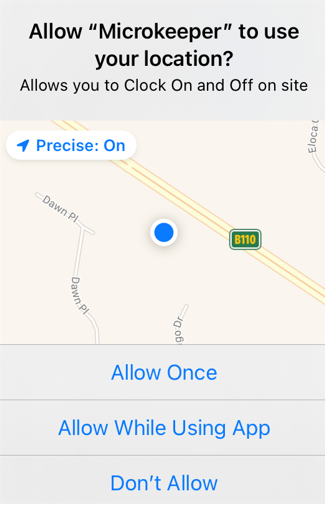
You will be prompted to Allow Notifications and Access to Locations.
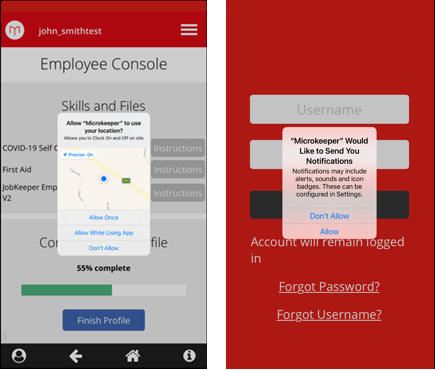
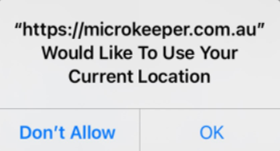
After you initially login to the Employee Console you will have to Allow Microkeeper to use your location.
You must allow these settings to be able to clock on via GPS.
Troubleshooting Common Issues and Errors
- Location Information is unavailable
- Accurate Location cannot be determined
- User denied the request for Geolocation
- Login details failed. Please try again. You will likely need to login again
Location Information is unavailable
This error occurs when the location data wasn't available. Check that your GPS settings are active on your device.
Android |
|---|
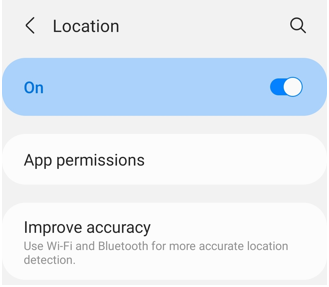 For more information refer to the guide here |
Apple IOS |
|---|
|
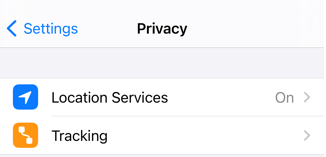
Accurate Location cannot be determined
Microkeeper uses Google Location services to detect your location. Check your internet and location settings on your device.
Your device must be Accurate to under 500 meters and the device must confirm "GPS Location Found"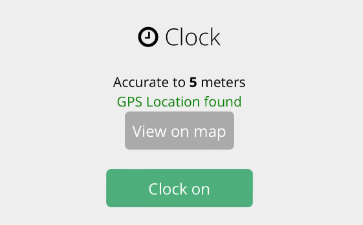
Here are some ways to improve your devices location's accuracy:
Android |
|---|
| How Google Services finds your current location Google Services estimates where you are from sources like:
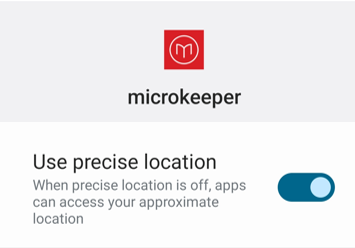
To help Google Services find your location with the most accurate blue dot, use high accuracy mode.
If your location is still wrong, here are some things you can try:
|
Apple IOS |
|---|
| How Google Services finds your current location Google Services estimates where you are from sources like:
To help Google Services find your location with the most accurate blue dot, turn on location services.
|
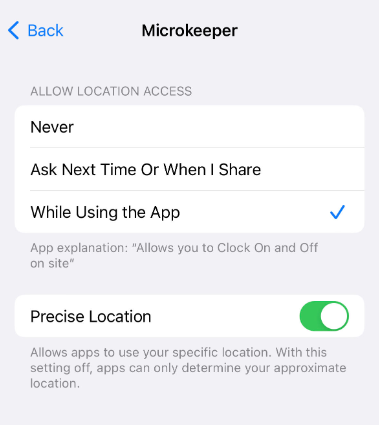
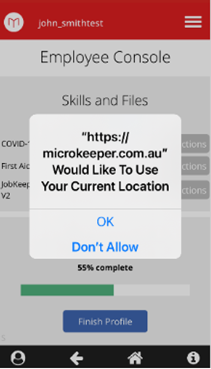
User denied the request for Geolocation
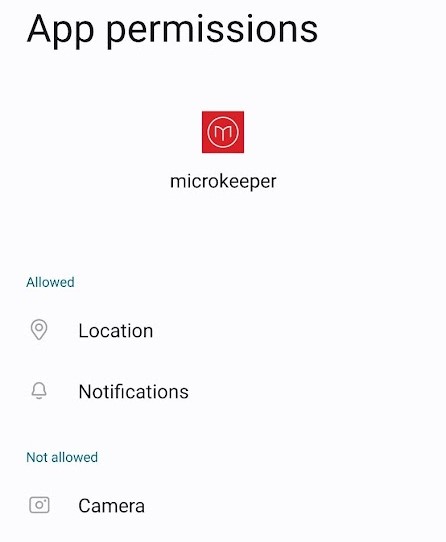
This error indicates that the Microkeeper app was unable to access your location. Close and re-open the app and allow Microkeeper to use your location.
Android |
|---|
To confirm that Microkeeper has access to your devices location:
|
Apple IOS |
|---|
|
Login details failed. Please try again. You will likely need to login again
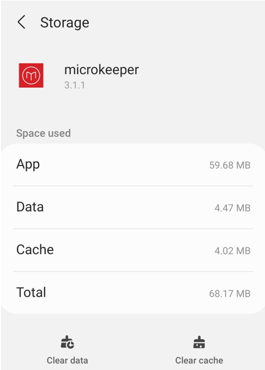
Fix this error by clearing the Data & Cache of the app and reinstall.
Android |
|---|
|
Apple IOS |
|---|
|